Remote

Specifications

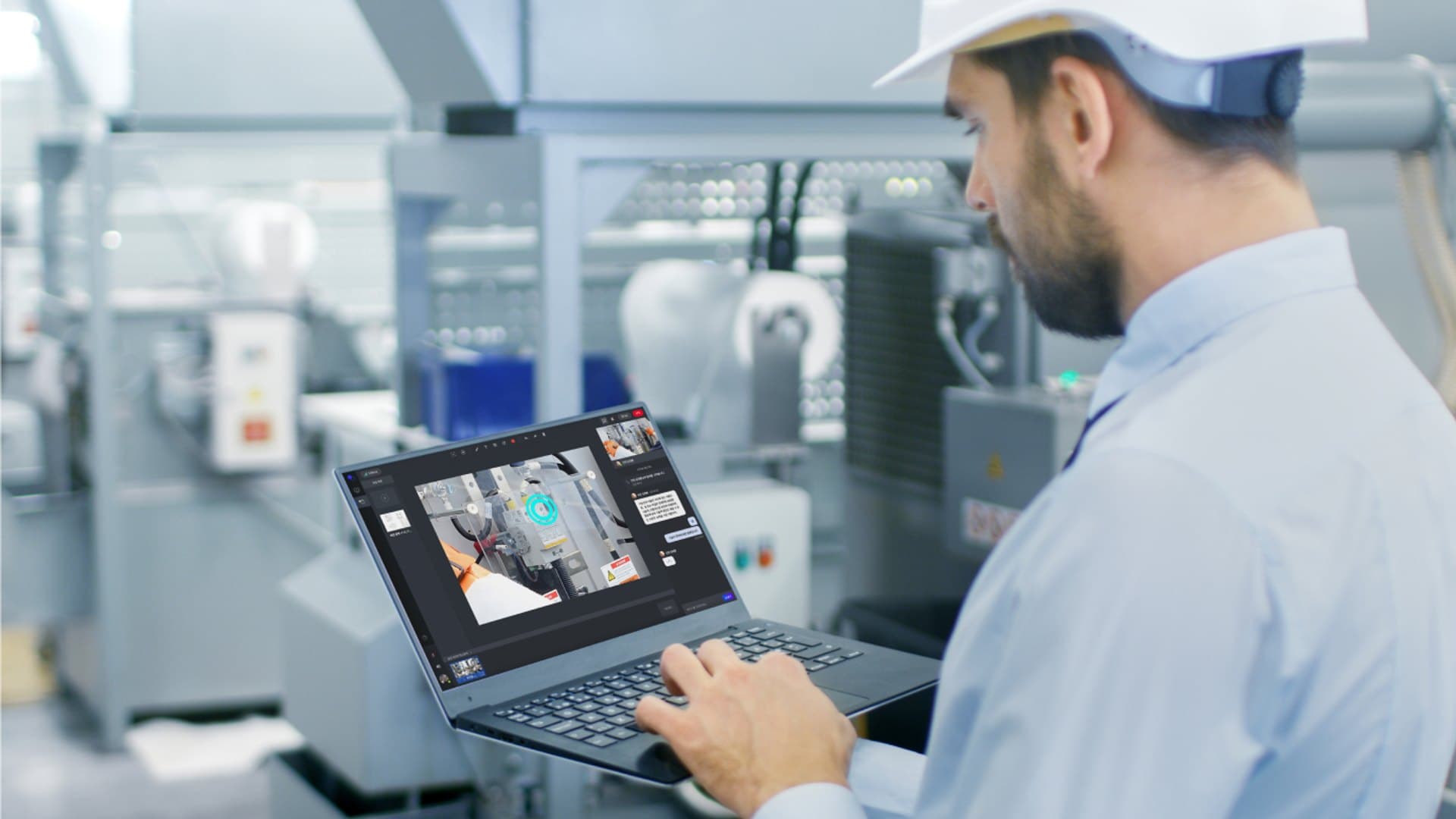
Real-time AR remote collaboration that instantly connects the field and experts — see every Remote feature and spec at a glance.

Solution

Remote collaboration that runs on a secure network

From real-time media and data sharing to air-gapped (on-premises) deployments, Remote deploys flexibly to meet your organization’s security requirements. Below is an overview of Remote’s system configuration.

Overview of the Remote solution

System

System Configuration

  1. Step 01

    System architecture

    Shares real-time media and data over a secure network environment. On-premises (air-gapped) deployment is also supported.

  2. Step 02

    Deployment & licensing

    Choose between subscription (Public Cloud) and perpetual (On-premise · Private Cloud). Subscription lets you adopt quickly with no upfront cost; perpetual is optimized for long-term cost savings after the initial build.

  3. Step 03

    Support & maintenance

    Regular updates and technical support ensure stable operation.

Specifications

Supported Specifications

Supported devices
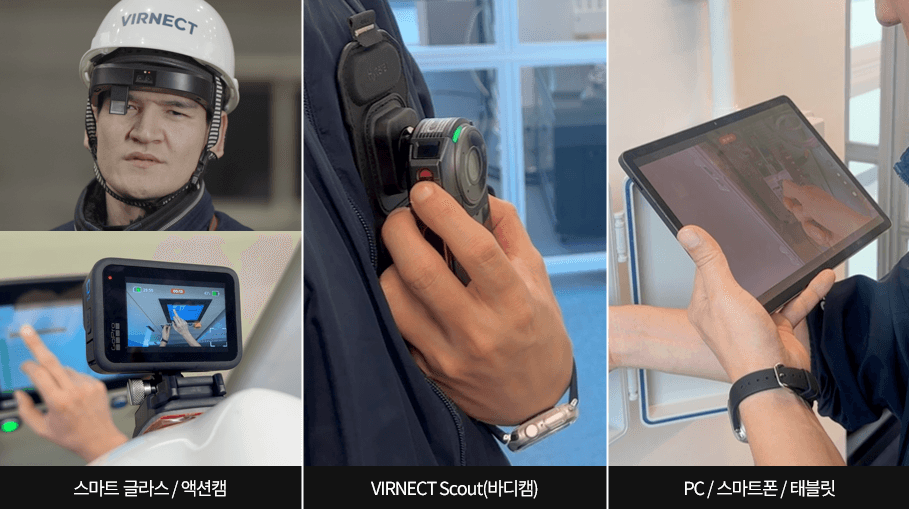
PC · Mobile · Smart glasses · Body cams · Robots
Camera integration
Action cams · endoscopes and more
Supported languages
Real-time interpretation in 13 languages (STT·TTS)
Collaboration modes
Multi-party collaboration · guest invitations
Pointing
2D · 3D · background pointing
Video / transmission
High-resolution, low-latency · thermal transmission · recording
Security / permissions
Access control · admin dashboard
Installation
Google Play · APK · air-gapped deployment

Detailed specifications may vary depending on the deployment environment.

Features

Detailed Features

  • Support for various heterogeneous smart devices

    Heterogeneous smart device support

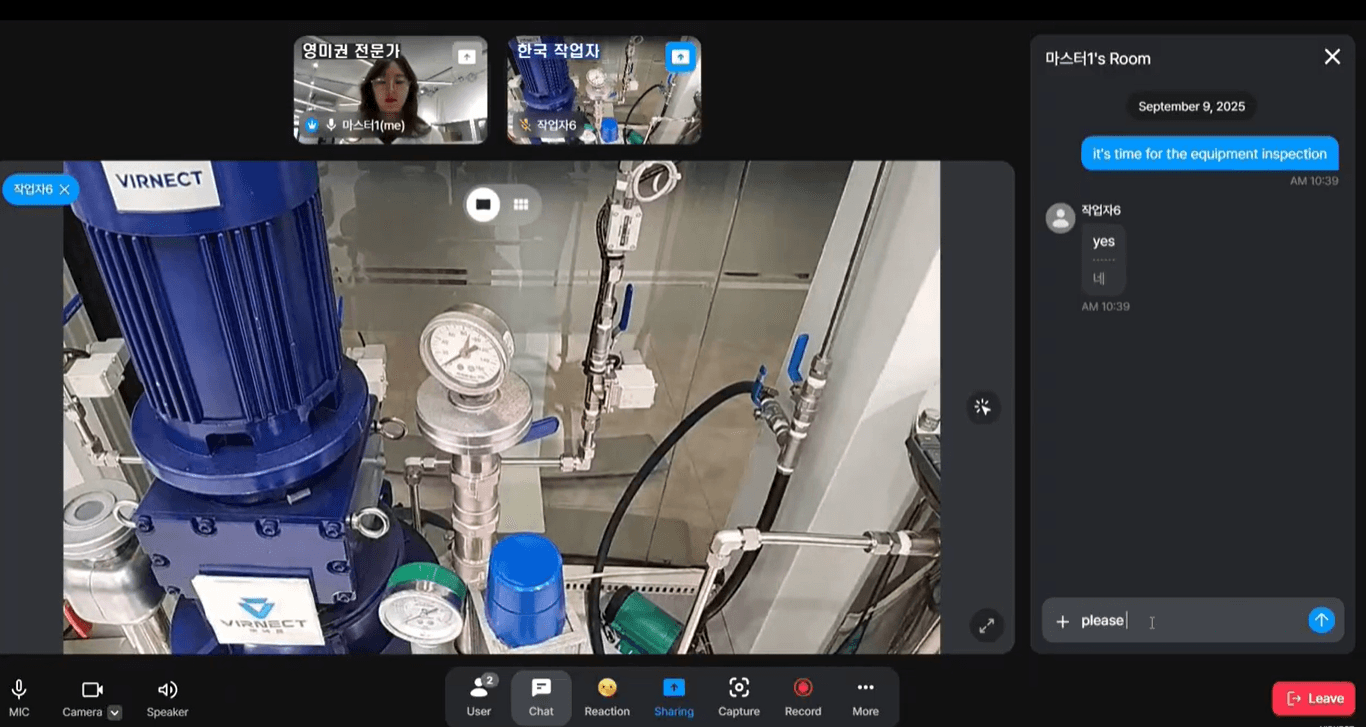
    Connect instantly with the PCs, phones, and tablets you already have, and capture the field hands-free with smart glasses and body cams.

  • High-resolution, low-latency live video sharing

    High-resolution, low-latency live video

    Share crisp, high-framerate live video with sub-second latency and communicate with the field in real time.

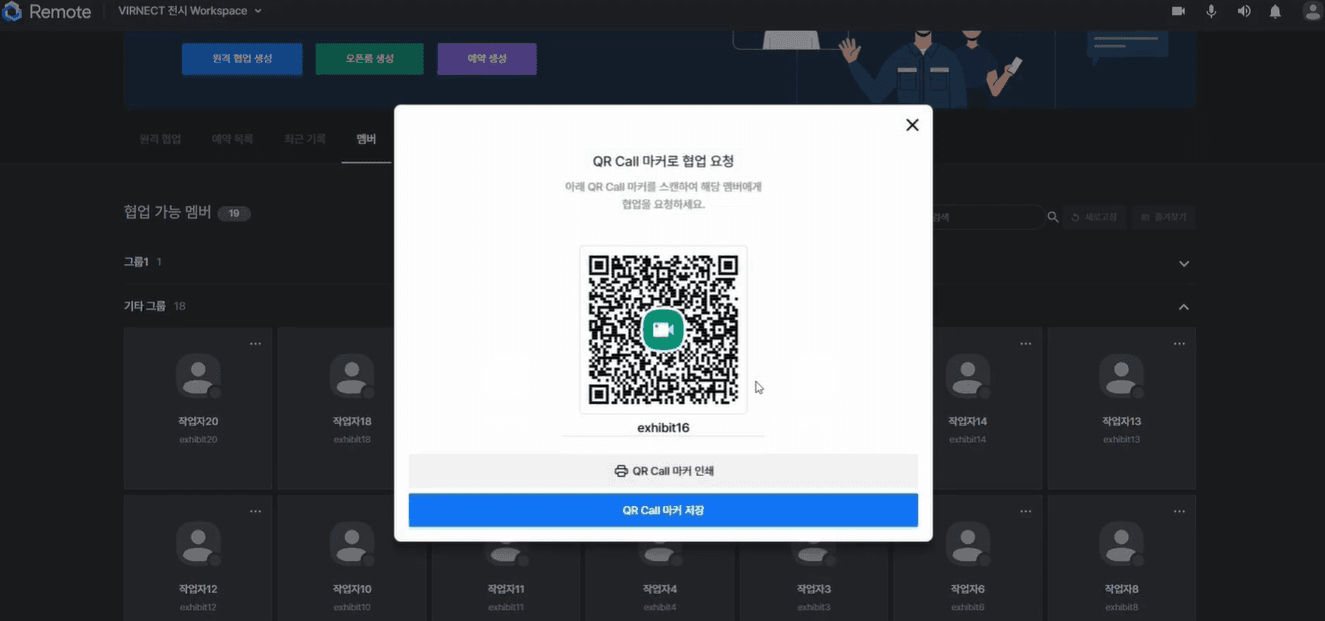
  • Starting collaboration instantly via QR Call

    Instant collaboration with QR Call

    Scan a member’s QR Call marker on the equipment to request collaboration with no extra steps, and summon help the moment you need it.

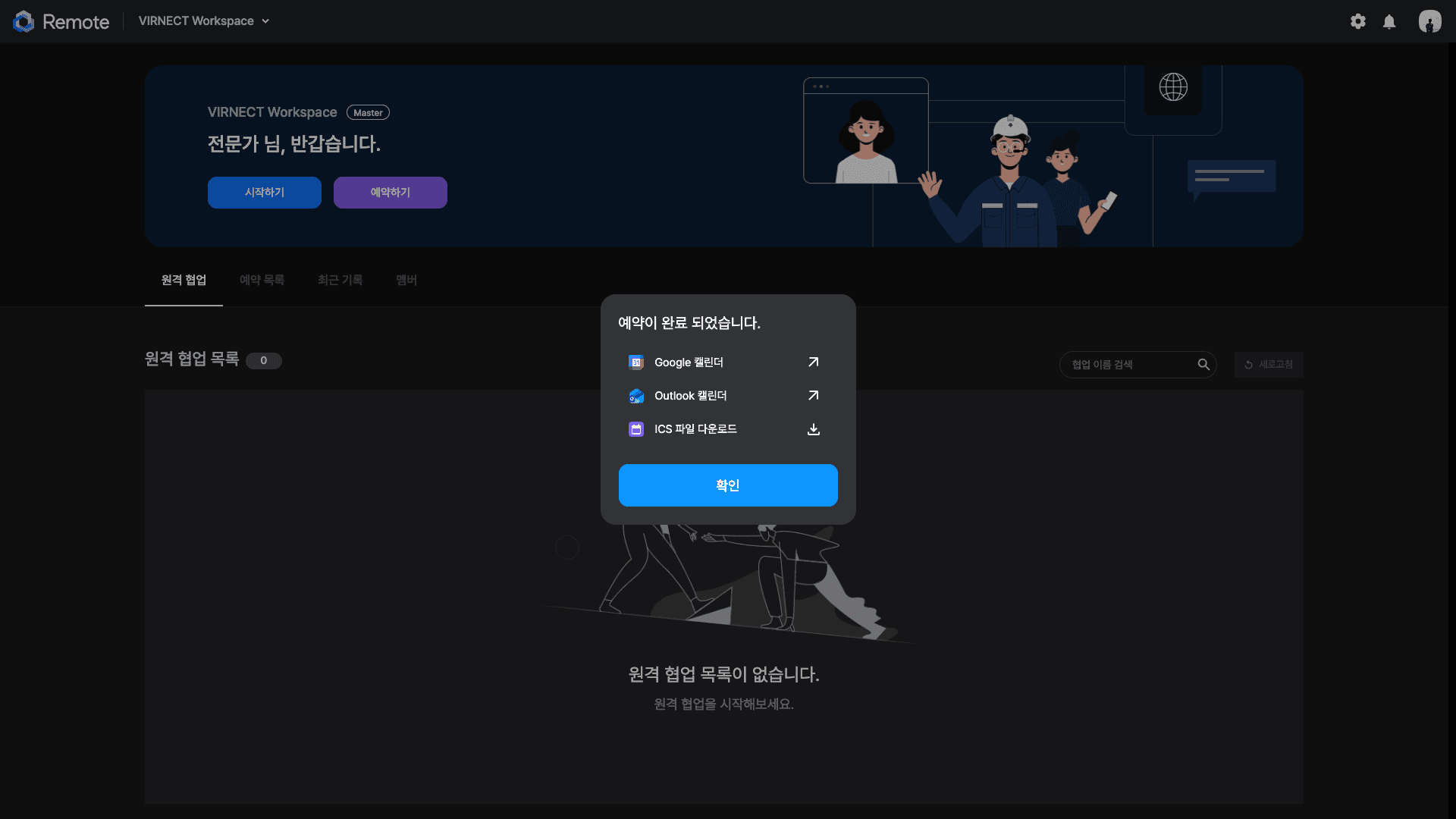
  • Collaboration booking and external calendar integration

    External calendar integration

    Add collaboration bookings to Google Calendar or Outlook with one click, and on mobile simply via a standard calendar (iCS) file.

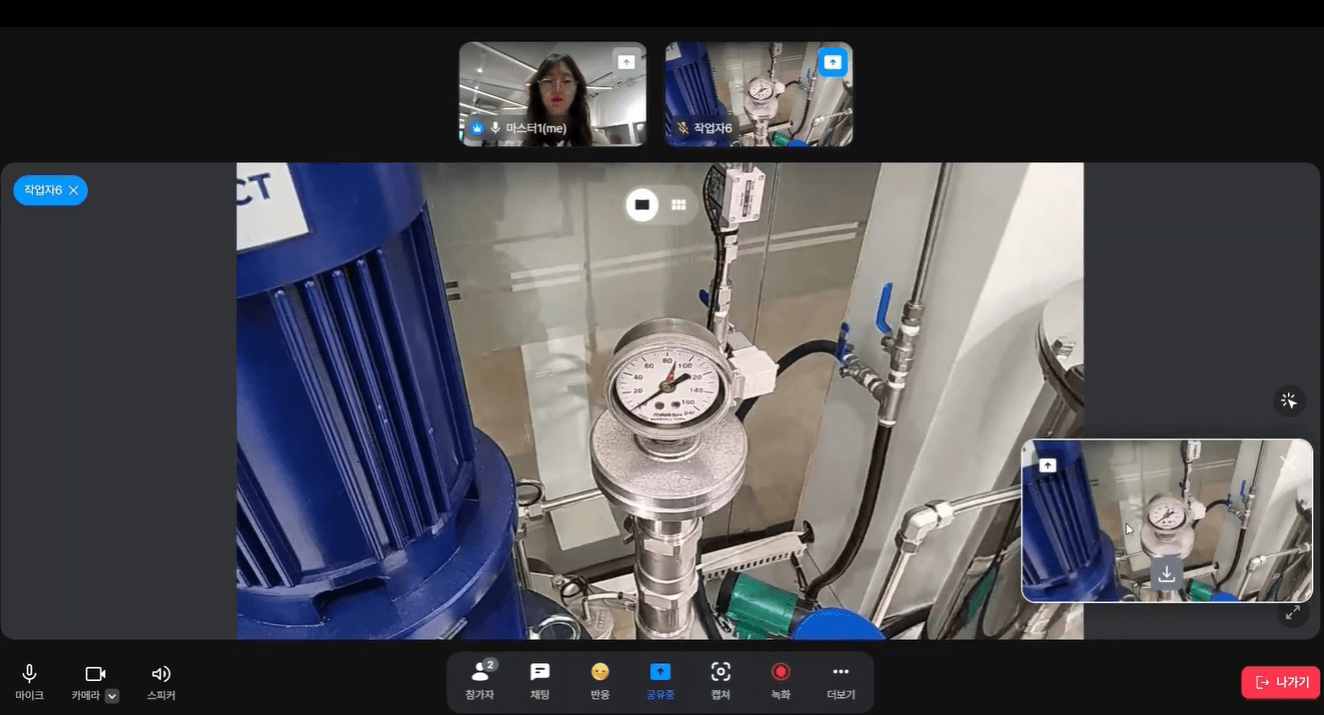
  • Capture, share, and download a screen

    Capture, share & download

    Capture the worker’s exact view, annotate it together with drawings and text, and download it for instant records and feedback.

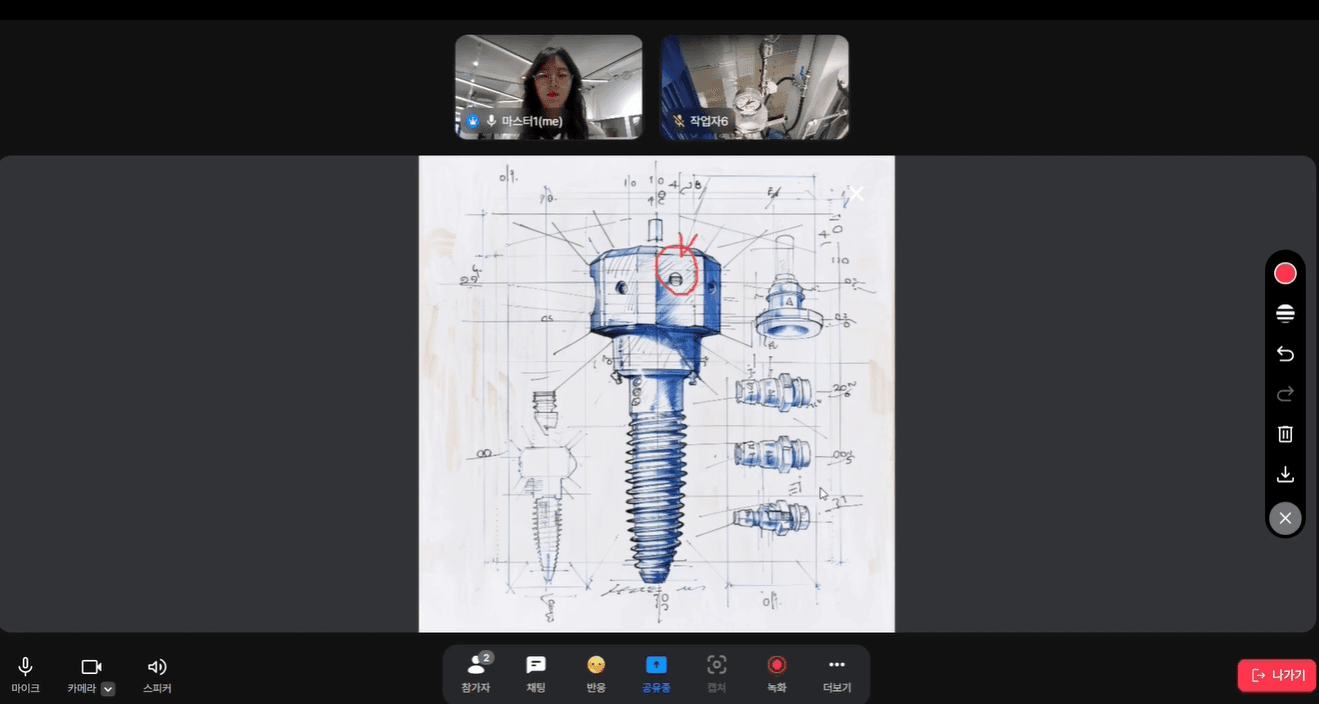
  • Sharing files and screens to deliver a manual

    File & screen sharing

    Share not only video calls but also images, PDFs, and other materials on the spot in real time, and co-author them together.

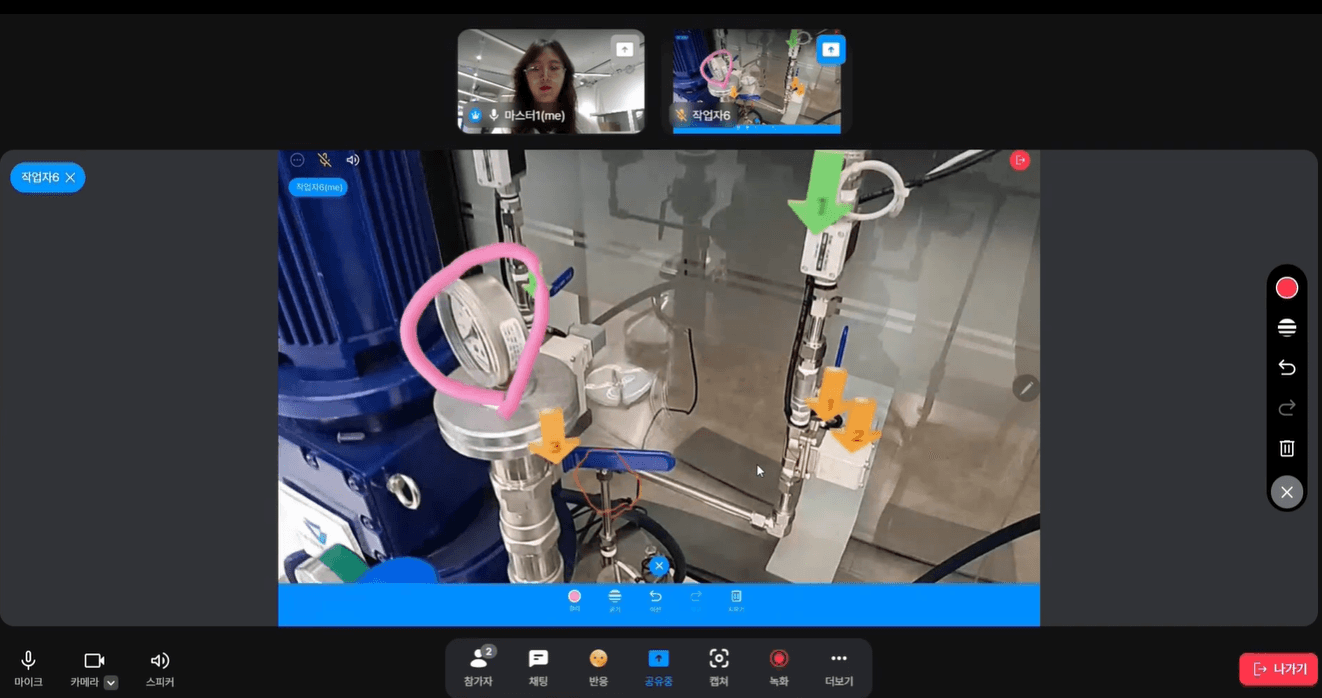
  • AR pointing marking a location in the field view

    Intuitive AR pointing guidance

    With 2D/3D AR pointing anchored in space, mark the exact spot in the worker’s view without needing to explain it in words.

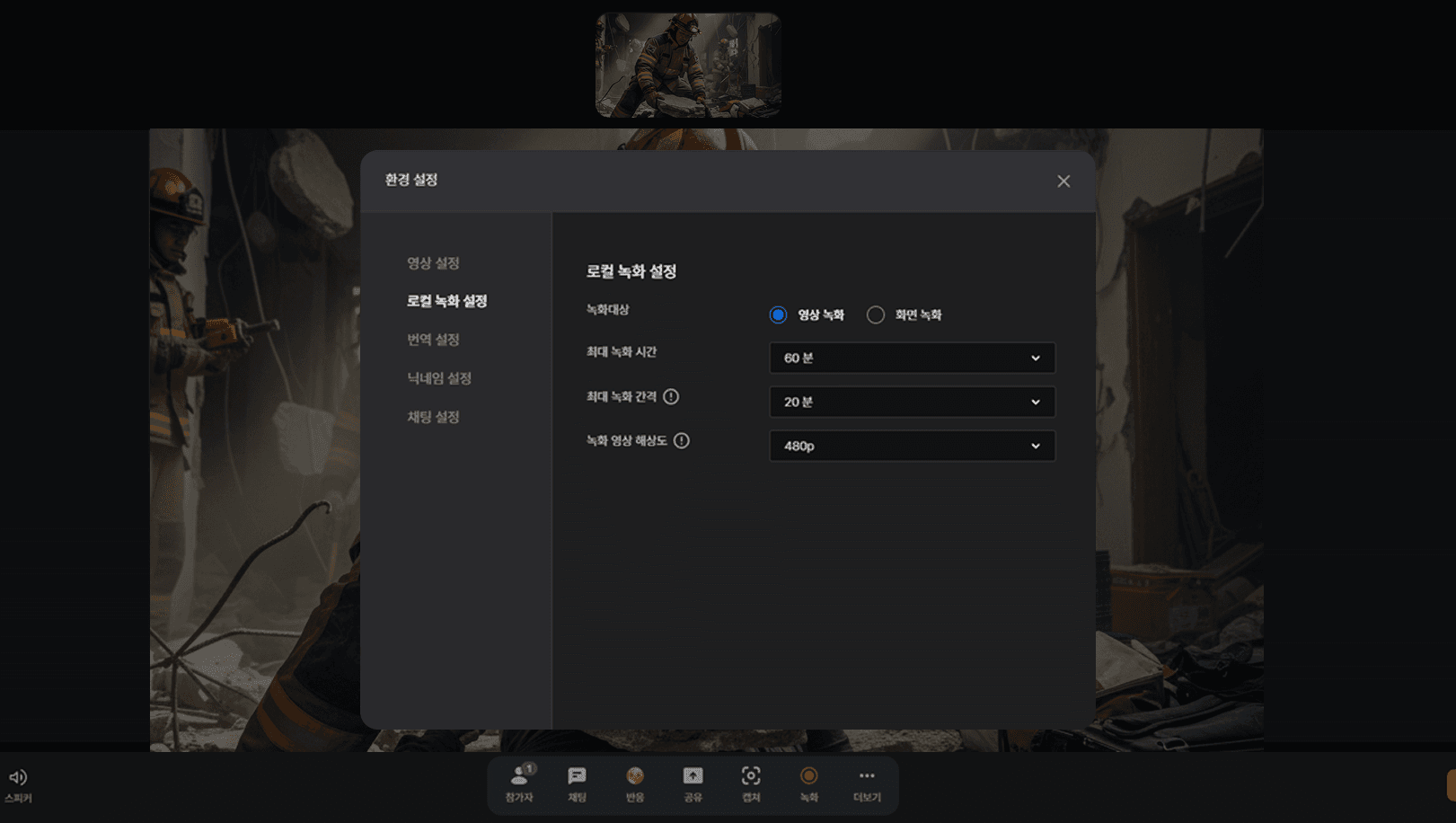
  • Selective field screen recording

    Recording that misses no moment

    Record a specific screen or the full view as the situation demands, and choose between local PC storage or automatic server upload.

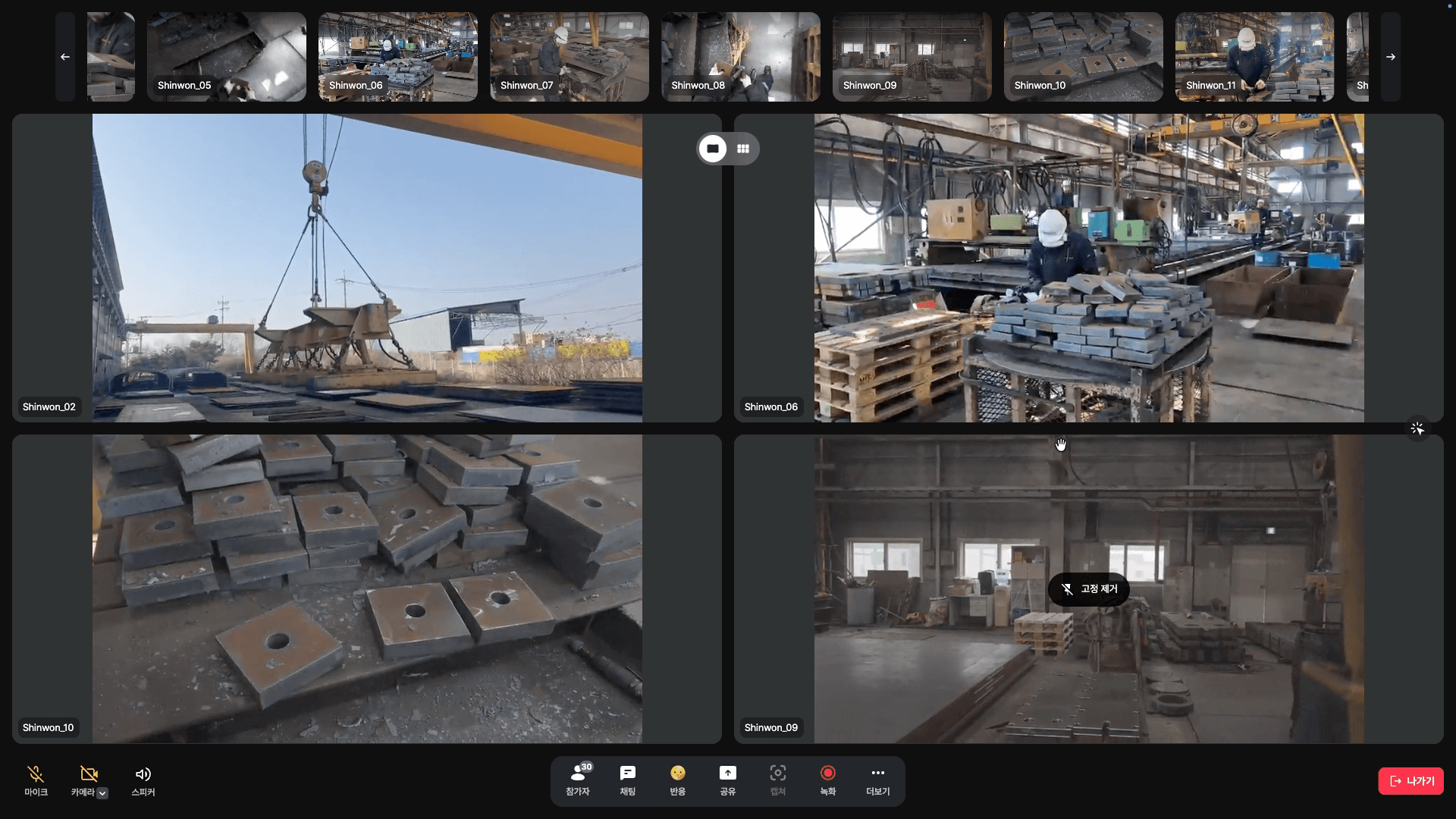
  • Pinning a key screen for focused monitoring

    Pin a screen for focused monitoring

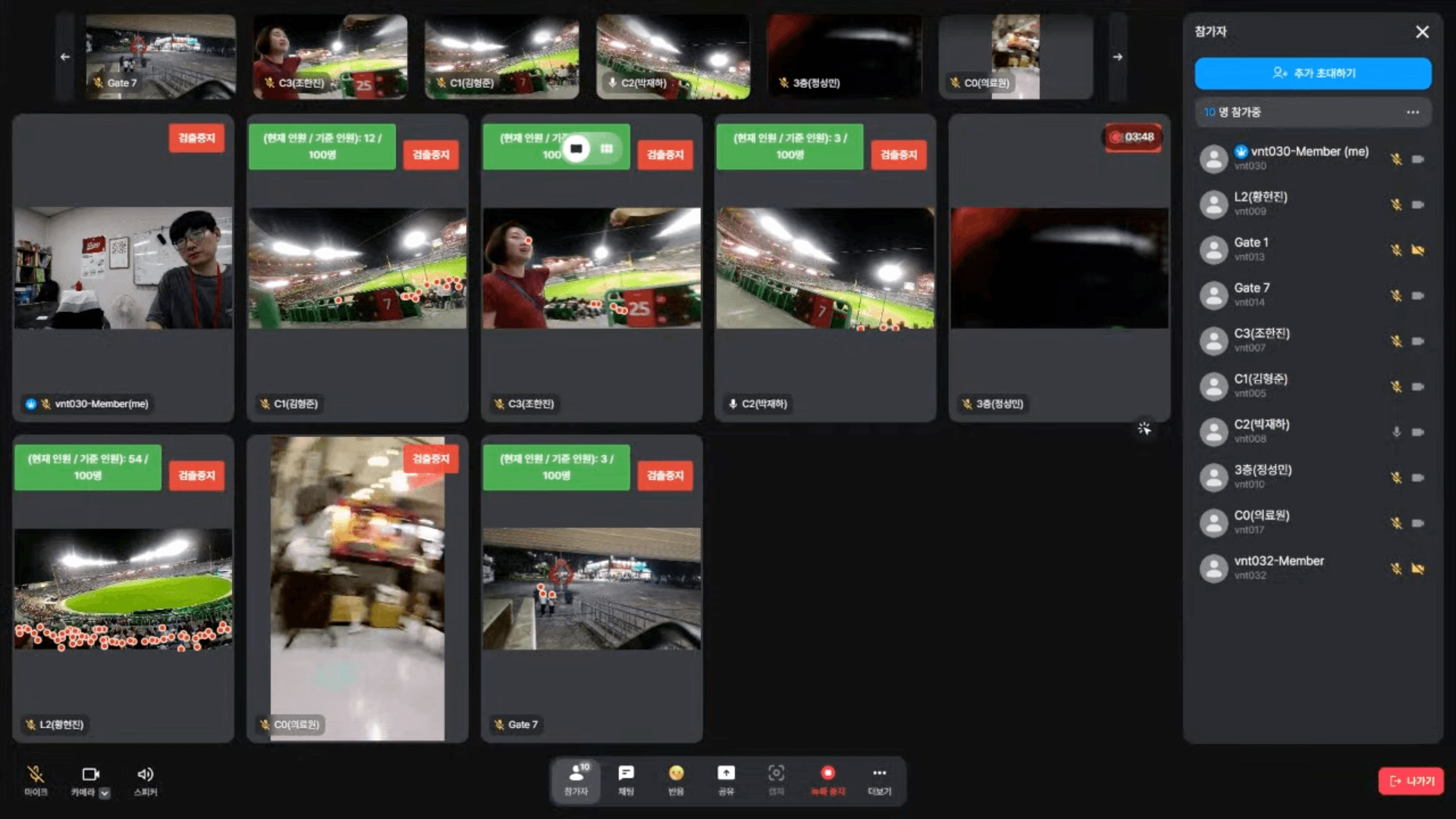
    When collaborating with many personnel at once, pin the most critical or hazardous screen large for focused supervision.

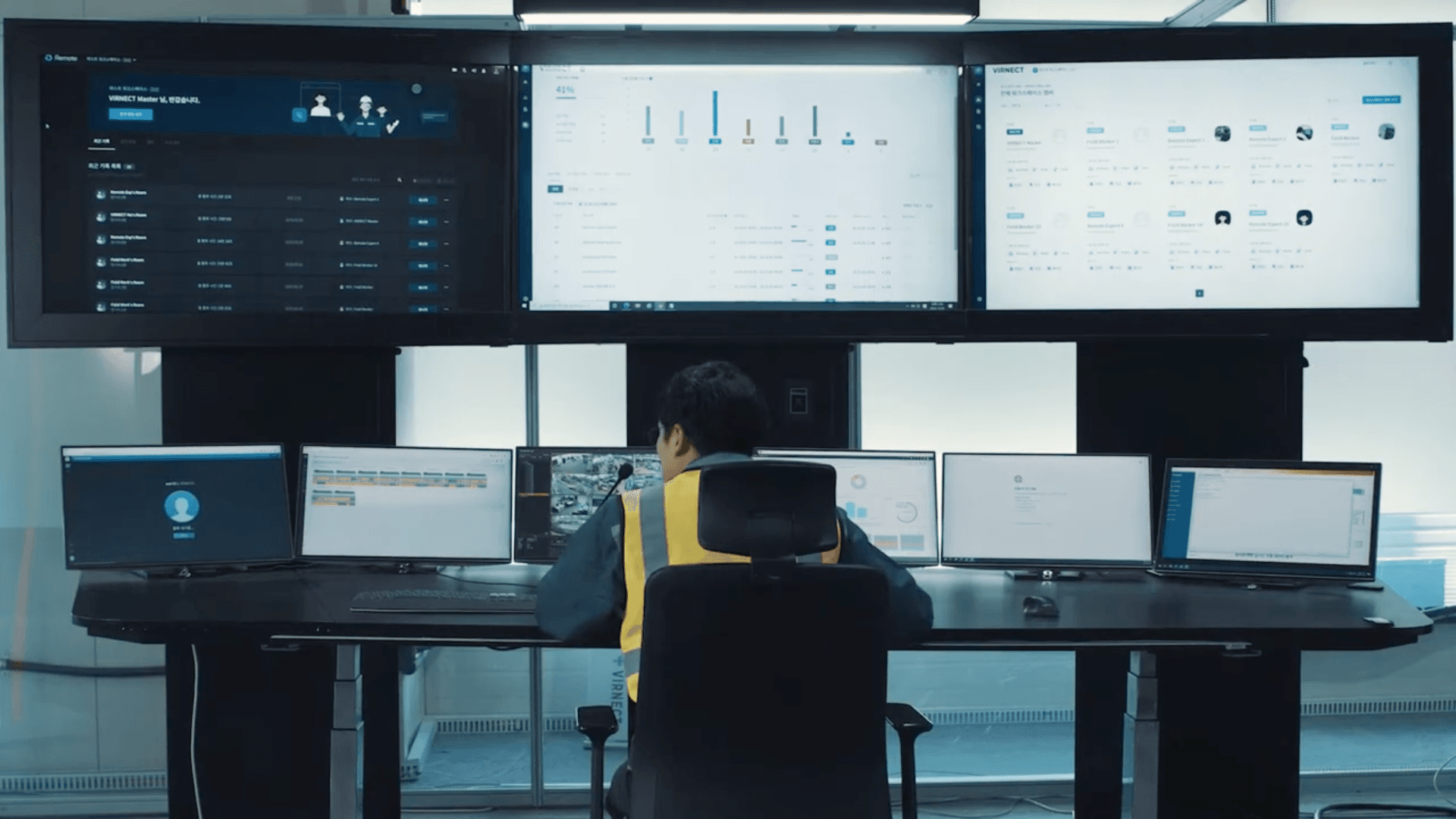
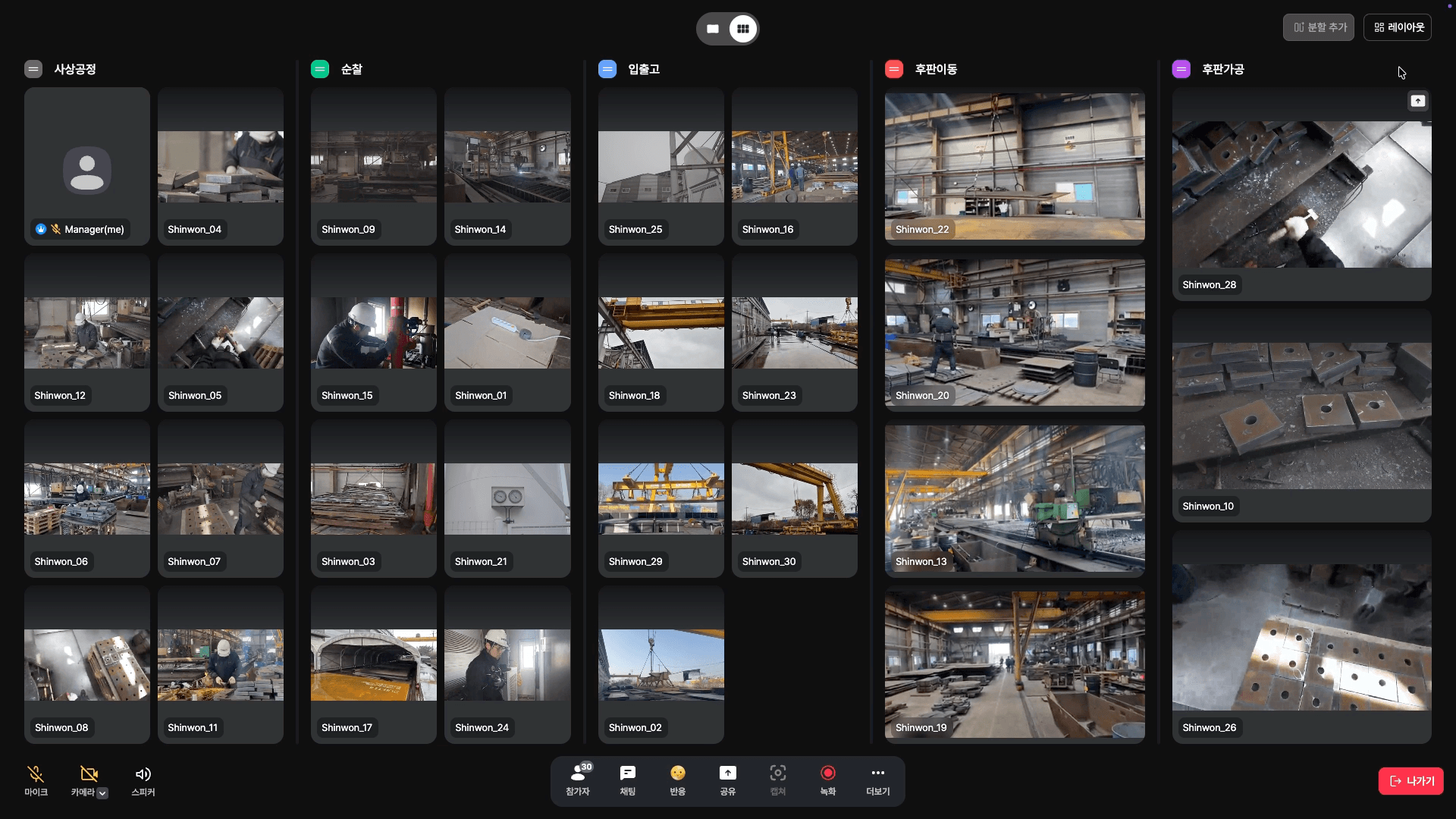
  • Group-view monitoring by zone

    Group-view monitoring by zone

    Split a large site into zones (groups) for monitoring, with up to 8 members per group for systematic management.

  • Real-time multilingual interpretation screen

    Real-time multilingual interpretation

    STT/TTS-based voice translation converts 13 languages in real time, so colleagues of any nationality collaborate barrier-free.

  • Automatic crowd-density detection screen

    Automatic crowd-density detection

    Automatically detect crowd density and, when crowds surge, direct control from the operations room to defuse congestion in advance.

Success Stories

Adoption Cases

  • Mokpo City Health Center telemedicine casePublic · Healthcare

    Mokpo City Health Center

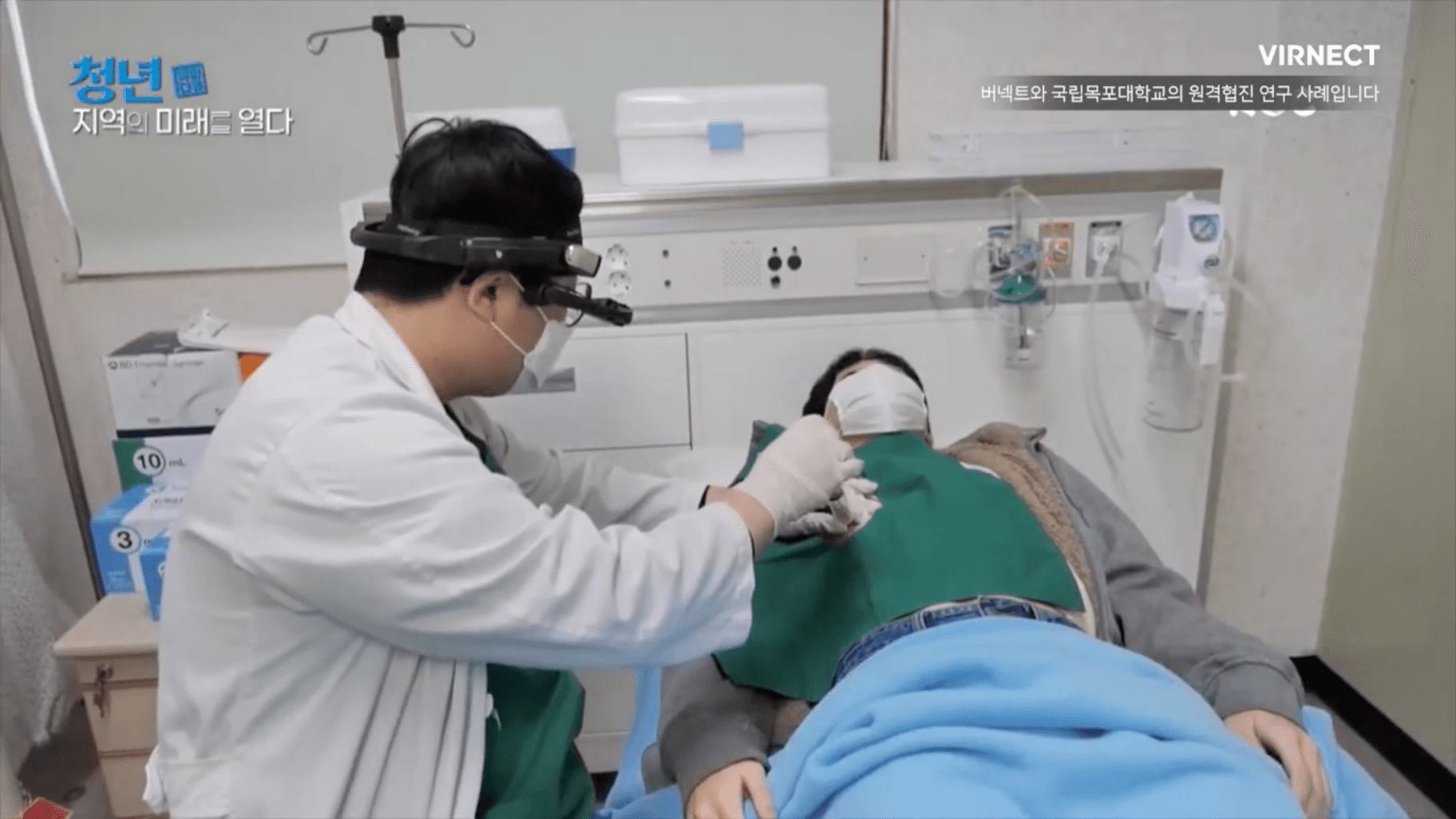
    Telemedicine for Remote Regions — VIRNECT & Mokpo City Health Center

    Mokpo City Health Center partnered with VIRNECT on a telemedicine initiative. ER specialists and community health workers share test results and materials in real time to treat patients in isolated areas.
  • Hanwha TotalEnergies adoption caseOil & Chemicals

    Hanwha TotalEnergies

    Hanwha Total Energies Cuts 90% of Maintenance Costs with VIRNECT Remote

    Hanwha Total Energies saved 90% of costs by adopting VIRNECT Remote for technical maintenance. Real-time communication minimizes travel time and expenses.

  • Tata DaewooCommercial Vehicles

    Tata Daewoo

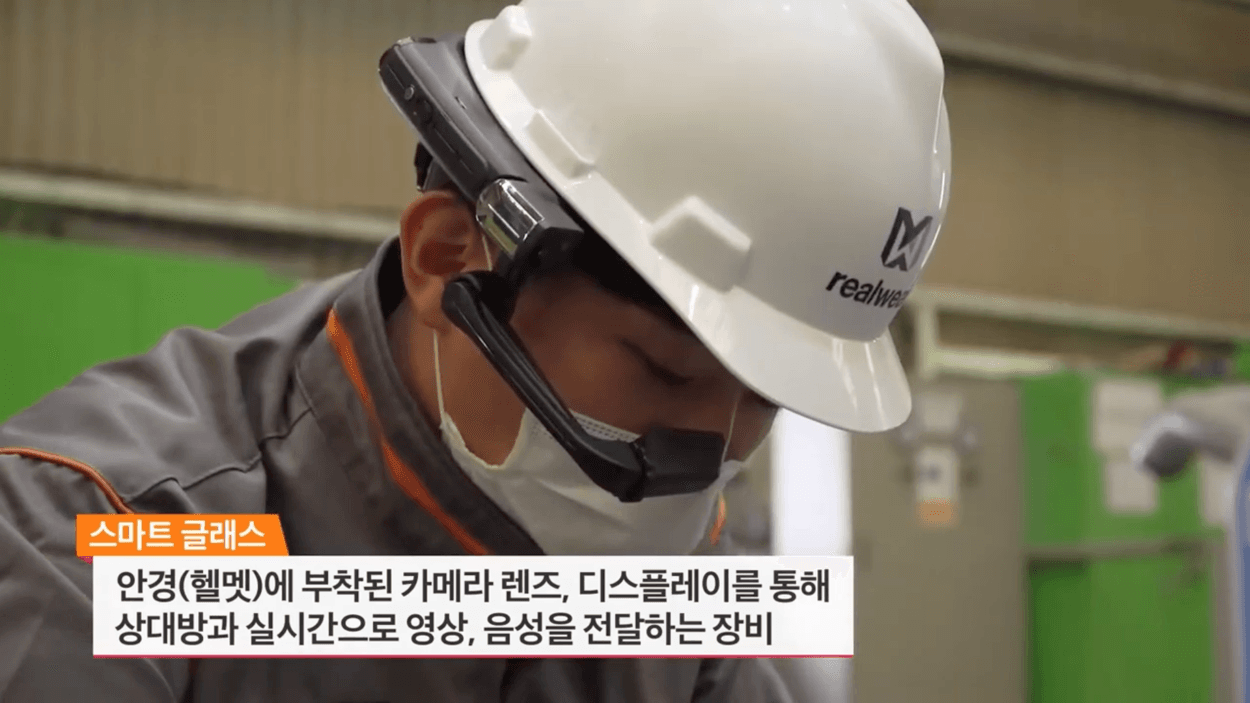
    Tata Daewoo Improves Maintenance Efficiency with VIRNECT Remote & Smart Glasses

    Tata Daewoo adopted VIRNECT’s smart-glasses remote collaboration to link 80 maintenance centers nationwide in real time — cutting rental-car costs and improving service accuracy and efficiency.

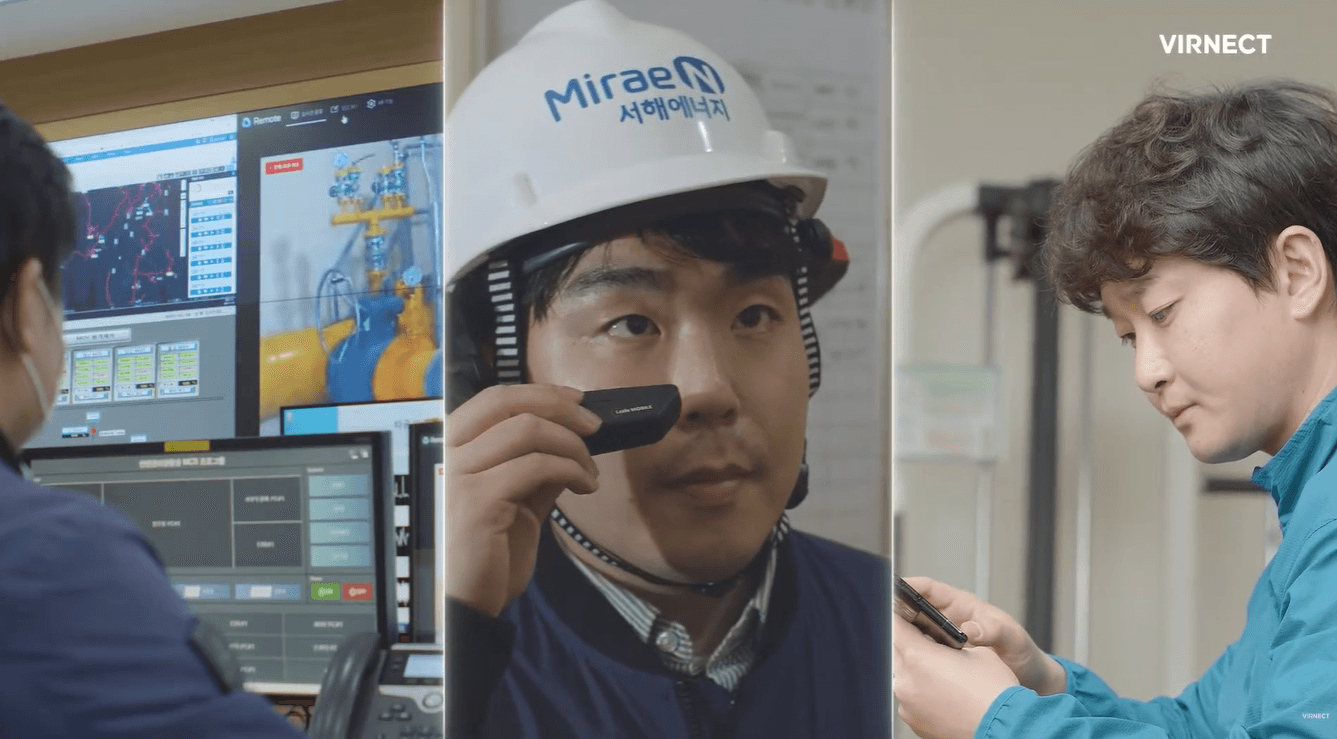
  • MiraeN Seohae Energy adoption caseEnergy · Gas

    MiraeN Seohae Energy

    Mirae N Seohae Energy Enhances Safety and Efficiency with VIRNECT XR Solutions

    Mirae N Seohae Energy, a gas provider for over 75,000 homes in Korea, modernized operations with XR. The VIRNECT Knowledge Management System reduced accidents and downtime while improving inspection and onboarding.

Real Remote adoption cases. See more on the Success Stories page.

FAQ

Frequently Asked Questions

Can it be used in air-gapped (closed) network environments?

Yes. With on-premise or private-cloud deployment, it runs entirely on your internal network without an external internet connection.

What is the difference between the subscription and on-premise plans?

The Standard subscription is KRW 30,000 per account per month (excl. VAT), letting you start quickly with no upfront cost. The Enterprise on-premise/private-cloud plan includes a perpetual license, maintenance, and custom modules.

Do I need smart glasses to use it?

No, they are not required. You can start right away with your existing PC, smartphone, or tablet, and smart glasses, body cams, action cams, and 360°/thermal cameras are also supported.

Where are collaboration recordings and files stored?

With on-premise deployment, data is stored on the customer’s internal servers and managed securely according to your organization’s security policy.

Can I try it for free?

Yes. Request a demo at https://virnect.com/ko/support/inquiry?tab=demo, and our team will issue a license after discussing the quantity and period you need.

How long does deployment take?

With a public (subscription) license, you can start using it right after agreeing on the quantity and period. On-premise deployments proceed after discussing the scope and timeline in advance.

Interested in adopting Remote?

Our experts will guide you to the right configuration and specifications for your field.

Contact us